P-1002 / HVAC Control

Boiler Control — OpenTherm Gateway

Remote boiler control over LoRaWAN

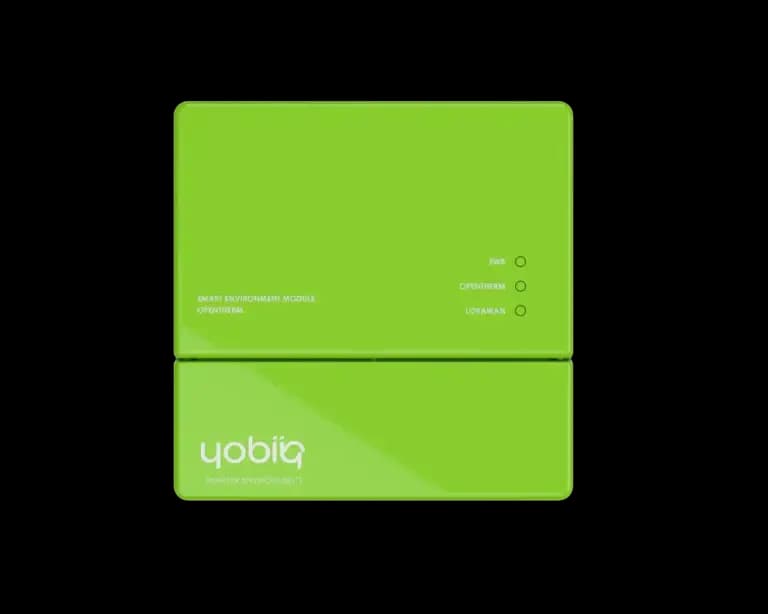
An OpenTherm gateway that brings heating systems onto your LoRaWAN network for remote monitoring and control.

Boiler communication
OpenTherm
Remote connectivity
LoRaWAN®
Two ways to work
Monitor + control
Built around heating
HVAC

About this product.

The Boiler Control gateway bridges standard OpenTherm-compatible boilers onto a LoRaWAN network, giving installers and facility managers remote visibility into heating performance without a truck roll.

It's built for the same use case that shaped Yobiiq's product line from the start: HVAC installers and building owners who need dependable remote access to mechanical systems, backed by real support instead of a black-box app.

IN YOUR ENVIRONMENTPRACTICAL USE CASES

One boiler. A much bigger picture.

From a single service call to a portfolio of buildings, useful heating data starts with a question you need to answer.

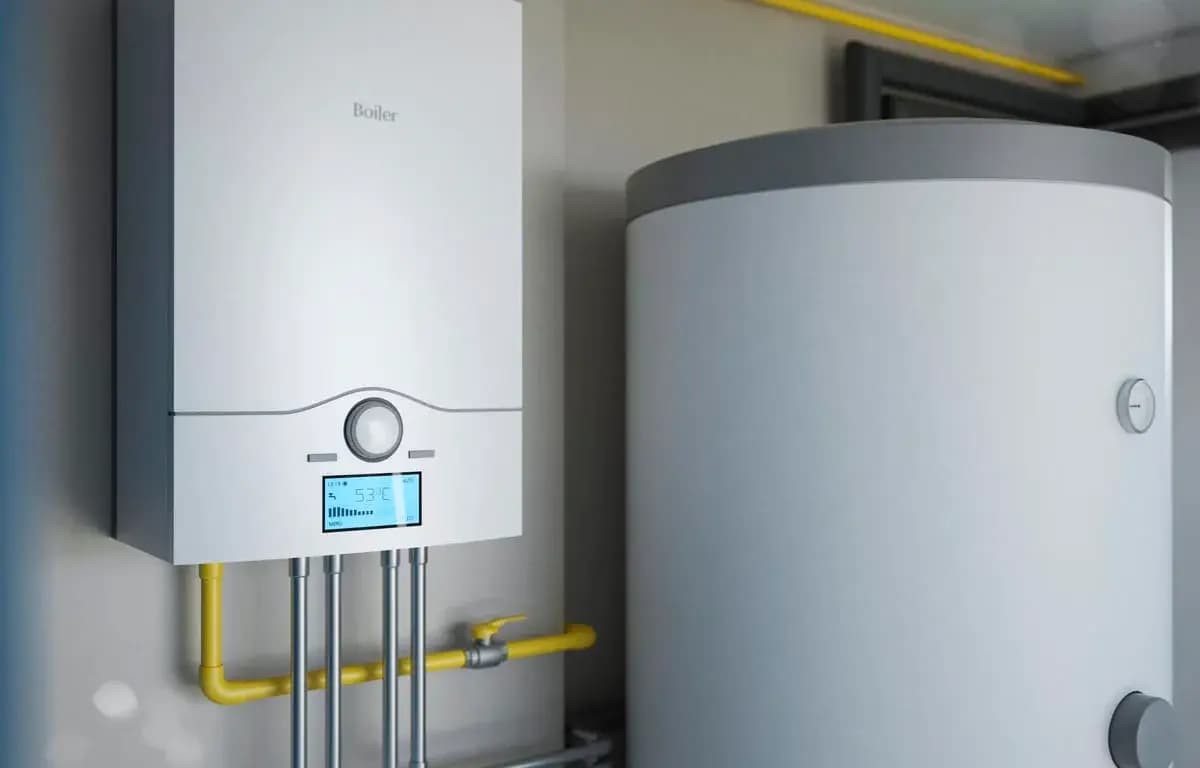
Wall-mounted boiler and hot-water cylinder in a heating installation
EXAMPLE APPLICATIONHeating installations
HVAC installers

Prepare the service visit

A customer reports that the heating is not working. A site visit often starts with finding out what the boiler is actually doing.

WHERE YOBIIQ COMES IN

Review the available boiler status, temperatures and diagnostic information through your connected application. Use that context to decide what to investigate and what the installer should bring.

  • Boiler status
  • Reported temperatures
  • Service context

Arrive with a clearer starting point and spend the visit on the equipment that needs attention.

Discuss a similar project
EXPLORE THE POSSIBILITIES02 / CONNECT THE DOTS

A closer look. A clearer picture.

Explore how this device fits into a connected environment.

Understand what the heating system is doing before you arrive on site. Connect an OpenTherm boiler to your LoRaWAN network, bring its operating information into your application, and give your team a practical route from diagnosis to control.

P-1002 / CONNECT
Boiler Control — OpenTherm Gateway

What the device does

  • Bridges OpenTherm boilers onto LoRaWAN®
  • Remote monitoring of heating system status
  • Remote control for installers and facility teams
  • Compact DIN-rail / wall-mount enclosure
UNDERSTAND THE OPERATIONDEVICE + APPLICATION

See what happens.
Step by step.

Choose how much the gateway participates in the heating system. Monitoring, boiler commands and building automation serve different needs.

MONITORING Information / action
  1. OpenTherm boilerAvailable operating data
  2. Boiler Control — OpenTherm Gateway
    Yobiiq deviceConnected hardware
  3. LoRaWAN networkNetwork server + gateway
  4. Your applicationDecode, display & act
Follow boiler information from the OpenTherm connection to the service dashboard.
01 / IN PRACTICE

Observe the existing system

Use the gateway to bring information from an OpenTherm installation into a remote view. The iQ OpenTherm documentation describes transparent forwarding between thermostat and boiler as its default behaviour.

Start with a service dashboard before changing the site’s heating strategy.

FITS INTO YOUR WORLDNETWORKS & PLATFORMS

Your network.
Your way of working.

Connect the device to a LoRaWAN network, then bring its data into the application your team uses. Each layer has a different job.

Network references are for the iQ OpenTherm family codec. Select the device version, boiler functions and application connector together; available controls depend on the installation.

Plan your integration
THE APPLICATION LAYER

Give every device a place in the picture.

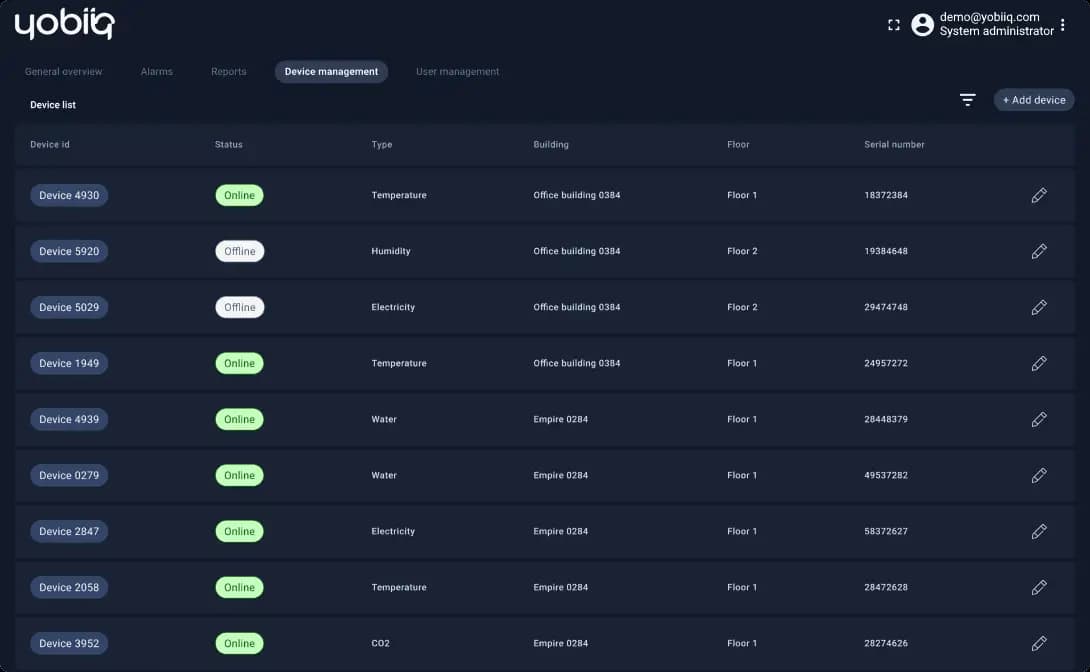
Group equipment by building, review device status and bring the information your team needs into one workspace. Shown: Yobiiq’s published device-management example; your dashboard is configured for the project.

Explore the platform example
YOBIIQ / PLATFORM EXAMPLE View full size
Yobiiq published device-management dashboard with device status and building assignments
Published platform example. Devices, readings and layout shown are illustrative.
DESIGNED WITH PURPOSE03 / THE DETAILS THAT MATTER

Small details. Real capability.

Bridges OpenTherm boilers onto LoRaWAN®
Remote monitoring of heating system status
Remote control for installers and facility teams
Compact DIN-rail / wall-mount enclosure
Compliant with standard LoRaWAN gateways and network servers
Reduces on-site service visits for routine checks
Fits both residential and light-commercial boilers
Backed by Yobiiq's in-house hardware & software support
THE TECHNICAL VIEWFUNCTIONS & INTEGRATION

The details behind the decision.

A practical overview to help you specify the right device and the system around it.

Product documentation
Function & interfaces
Primary interfaceOpenTherm-compatible boiler system
PurposeRemote monitoring and supported boiler control
Thermostat integrationiQ OpenTherm supports installations with or without an OpenTherm thermostat; confirm the wiring and configuration for your system
Connectivity & integration
Wireless networkLoRaWAN®
System componentsGateway, network server and an application integration
Available informationBoiler status and reported temperatures; additional data depends on the connected boiler
Control availabilityDetermined by supported OpenTherm functions and the commissioned configuration
SPECIFY IT FOR YOUR PROJECT

For a compatibility check, send us the boiler and thermostat models, the required control functions and your preferred platform. We will match the gateway version and installation requirements to the system.

Check your configuration
FROM SELECTION TO SITEPLAN YOUR INSTALLATION

A good deployment starts here.

Four things to settle before the first device goes into service.

  1. 01

    Check the heating system

    Identify the boiler, thermostat and their OpenTherm capabilities. Decide whether the first deployment is for monitoring or active control.

  2. 02

    Plan the network

    Check LoRaWAN coverage at the installation point and choose the network server and application that will receive the data.

  3. 03

    Commission the integration

    Have the installer verify wiring and power against the selected device documentation, then test readings and any enabled commands.

  4. 04

    Agree the operating process

    Set access permissions, assign event follow-up and test the intended behaviour when network connectivity is unavailable.

QUESTIONS, ANSWERED

Before you choose.

Practical answers about Boiler Control — OpenTherm Gateway.

Ask us something else
Will it work with any boiler?

It is intended for OpenTherm-compatible systems. Boiler support for individual data points and commands varies, so the boiler and thermostat models should be checked before selecting the gateway. A simple on/off thermostat connection is not proof of OpenTherm compatibility.

Can I keep the existing thermostat?

The iQ OpenTherm documentation describes a gateway that can sit between an OpenTherm thermostat and boiler. It also describes operation without a thermostat. The installation and control configuration must be selected for your heating system.

What is the difference between monitoring and control?

Monitoring brings reported operating information into view. Control adds a path for supported requests back to the boiler. A monitoring deployment can help establish a useful baseline before the team commissions remote adjustments.

Can this help an installer prepare a service visit?

Yes. Available operating and diagnostic information can give the installer context before attending. It supports diagnosis and planning; the actual fault and any required repair still need to be assessed for the installation.

Does the gateway create schedules and alerts by itself?

Platform schedules and alerts require an application configured for those tasks. Local control functions depend on the selected gateway version. Tell us where you want the logic to run so the device and platform can be specified together.

What do I need beyond the gateway?

An appropriate OpenTherm installation, the specified power supply, LoRaWAN coverage, a network server and an application that understands the device messages. The installer should test both the normal operating path and the agreed fallback behaviour.

LET’S MAKE IT HAPPEN

Your next project.
Our next connection.

Tell us what you want to connect, monitor or control. We’ll help you find a starting point.

Talk to the team